Experience the power of EQuIS Geotech!
EQuIS Geotech by EarthSoft revolutionizes geotechnical data management with a seamless transition from legacy systems like gINT. Centralizing and standardizing data, it offers robust tools for visualization, reporting, and analysis—all designed with geotechnical professionals in mind.
The built-in support for AGS4 format ensures efficient geotechnical data exchange, making EQuIS Geotech the trusted choice for those looking to optimize their workflows and make informed decisions with confidence.
Standardized and Centralized Data
EQuIS Geotech ensures that all geotechnical data is standardized and centralized within a single platform. This feature enhances data consistency and accessibility, making it easier for teams to manage and share information across projects.
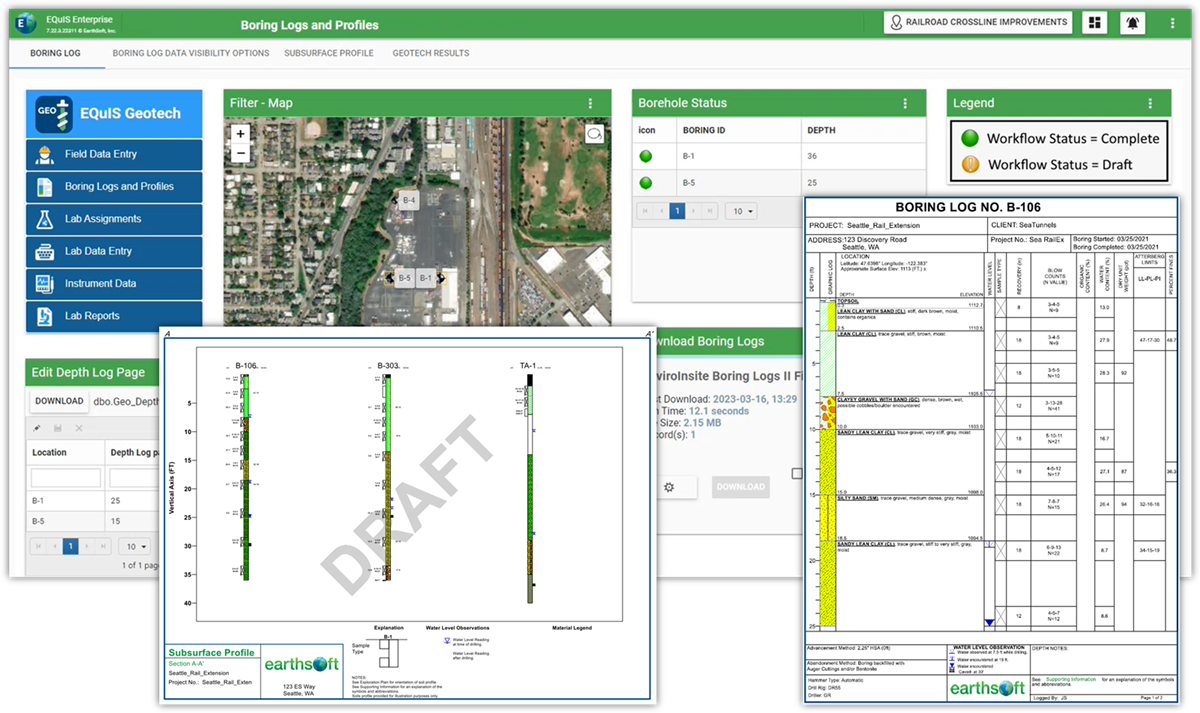
Boring Logs and Subsurface Profiles
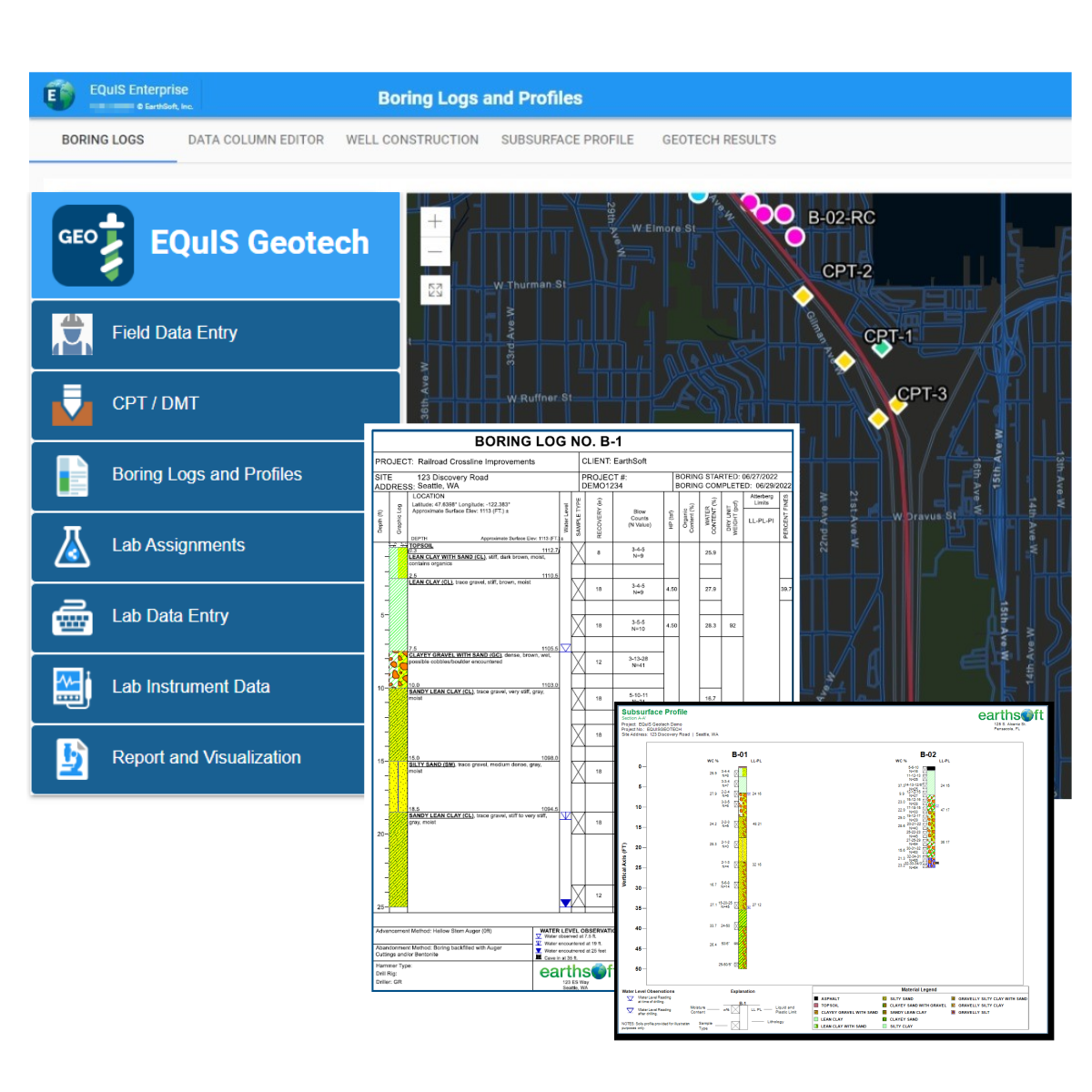
EQuIS Geotech simplifies the creation and management of boring logs and subsurface profiles. Users can generate detailed, accurate logs and profiles that visualize subsurface conditions, aiding in better project planning and analysis.
Built-in Standard Reports and Forms
EQuIS Geotech comes with a suite of built-in standard reports and forms, streamlining the reporting process. These templates can be easily customized to meet specific project needs, saving time and ensuring consistency in documentation.

Built-in Dashboards for Data Entry and Analysis
The platform includes built-in dashboards designed for efficient data entry and analysis. These dashboards provide real-time insights into geotechnical data, allowing users to monitor trends and make informed decisions quickly.
EQuIS Geotech extends the EQuIS software suite and manages geotechnical and environmental data in a single enterprise solution.
EQuIS Geotech provides web forms for data entry, customizable reporting templates, and geotechnical-specific workflow components. Numerous native EQuIS data operations are integrated, including migration capabilities and visualization tools.
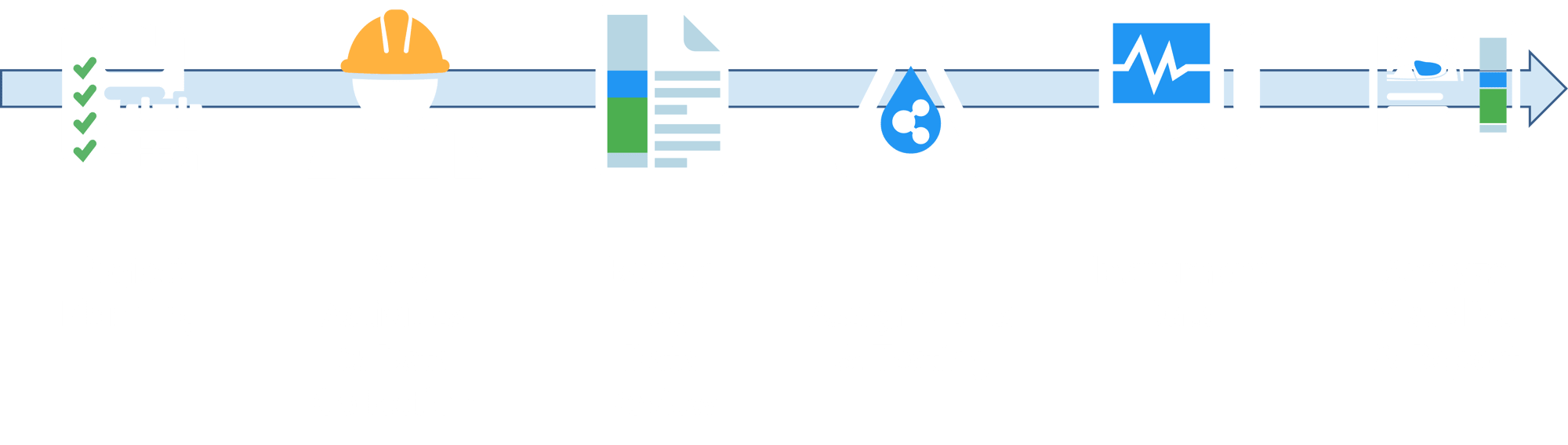
 Project Planning
- Setup project information
- Project planning workflows include standard EQuIS project setup and optional connections to client applications using REST API
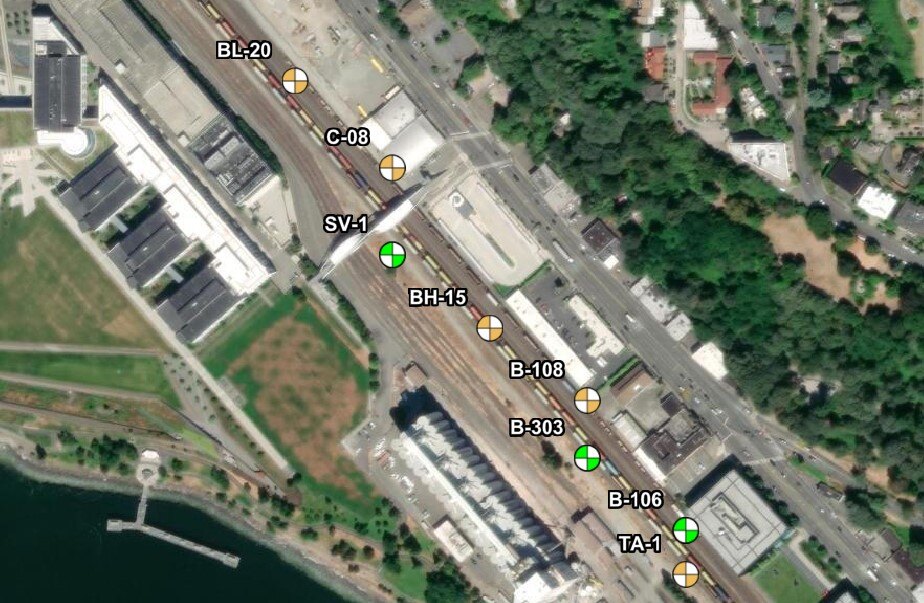
- Prepare exploration plans, including proposed boring locations, methods, and depths (etc.)
- Schedule and disseminate the exploration plans to the field crew
 Field Activities & Data Collection
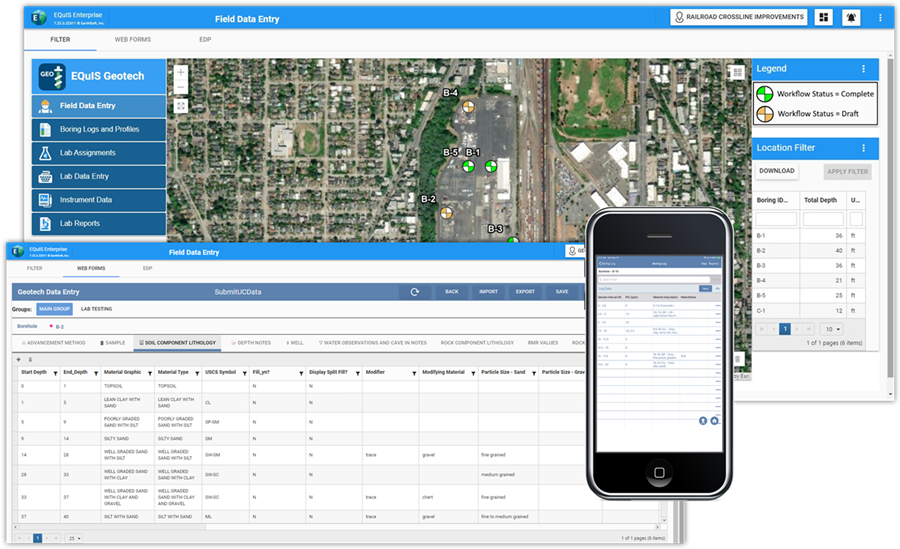
- Capture drill sample information on paper or with EQuIS Collect
- Field logs are entered into browser-based Web Forms, conforming to organizational data standards
- Load cone penetrometer test (CPT) and dilatometer test (DMT) data
- Web Forms are configurable for efficient data entry and various data types
 Boring Log Data Review
- Quickly generate soil boring logs and profiles, CPT logs, and DMT logs to review subsurface site conditions
- Map and grid-based filtering to review boring log data
- Review and modify data to reflect observed subsurface conditions
 Lab Assignment & Testing
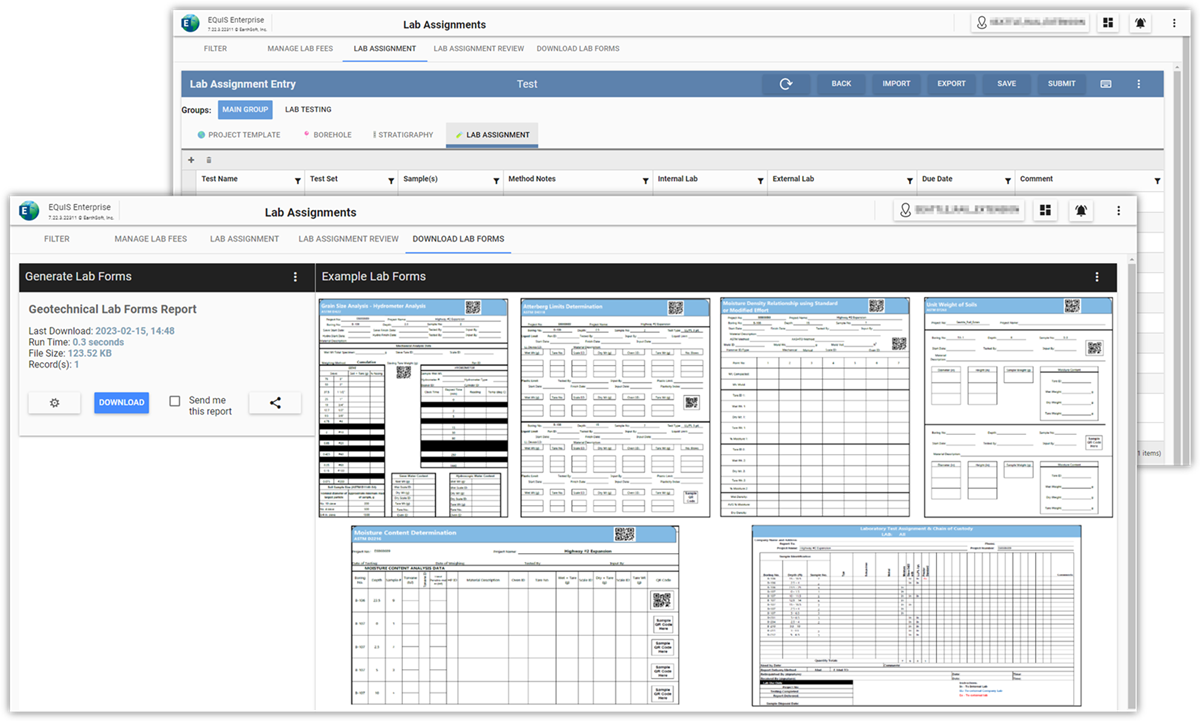
- Assign required lab testing based on project requirements and observed field results
- Assign labs and associate corporate, regional office, or project lab fees
- Lab forms support electronic import or hand entry of lab results
- Store raw lab data and reporting calculations directly in EQuIS Geotech
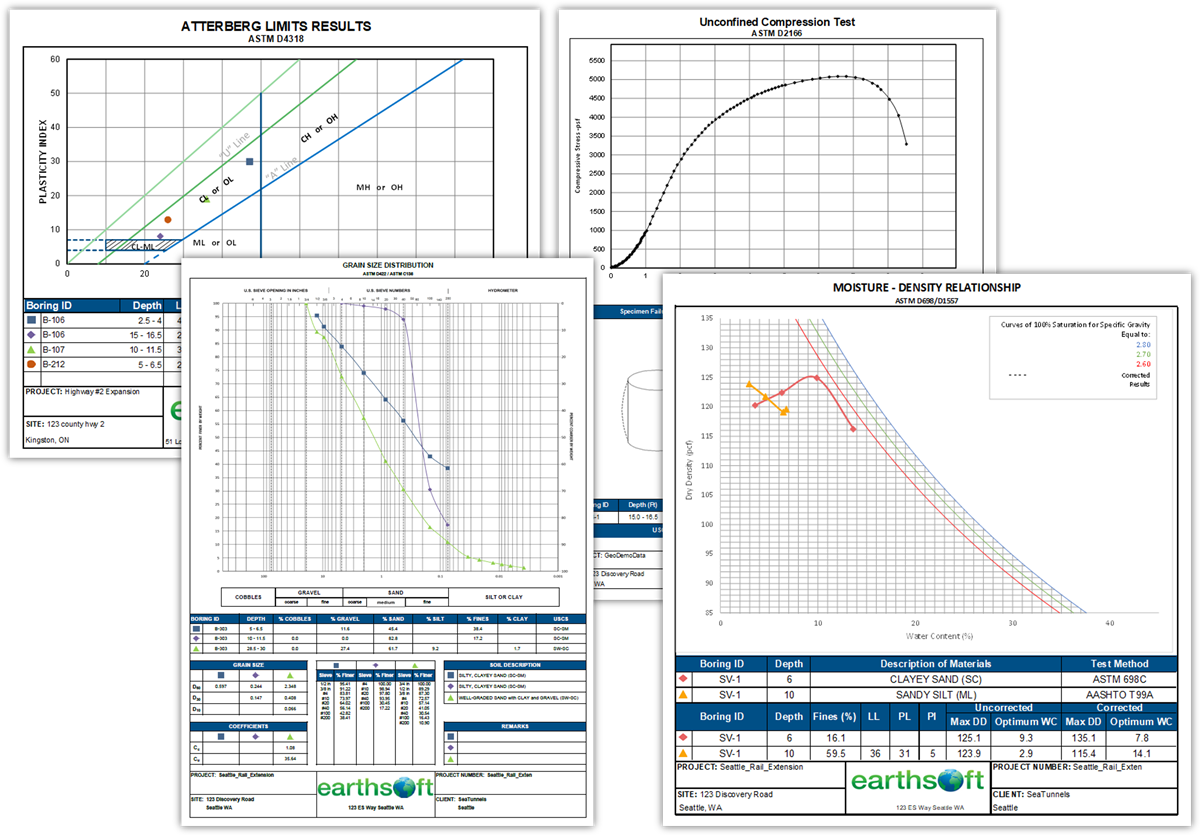
- Lab data review templates include Atterberg limit, grain size, water content, and more
 Instrument Data
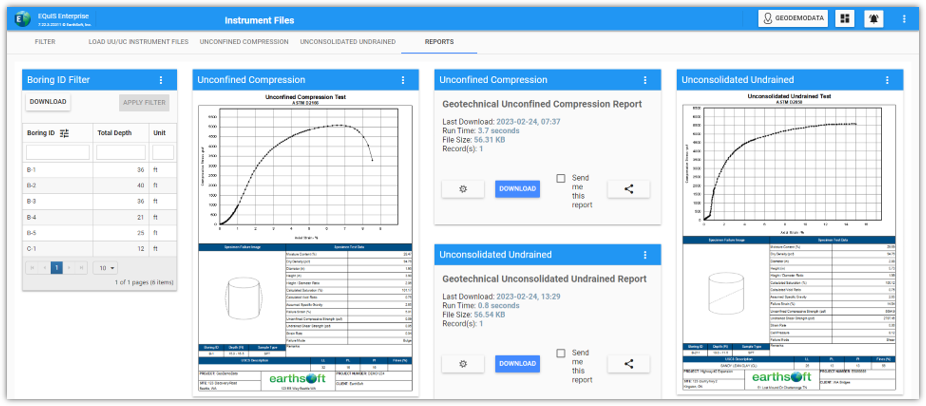
- Batch load instrumentation data files using configurable data templates
- Review and report UU/UC and more
 Analyze and Visualize Reports
- Review and analyze data through multiple reports and templates
- REST API integrations with Esri’s ArcGIS for spatial analysis and reporting
- Produce presentation quality deliverables fit for final reports

- Facility Data
- Facility Parameters
- Location Data
- Location Parameters

- Activity
- Drilling Activity / Parameters
- Test Pit
- Coring
- Coordinates / Geography
- Backfill

- Well Installation
- Casing Info
- Well Construction
- Water Table

- Sample Info
- Lithology
- Stratigraphy
- Discontinuity
- Fracture Spacing

- Pumping Test
- Hand Penetrometer
- Vane Test
- Dynamic CPT
- Environmental Data

- Cone Resistance
- Friction Resistance
- Face Porewater Pressure
- Top Sleeve Porewater Pressure

- Water Content
- Atterberg
- Sieve
- Hydrometer
- Specific Gravity
- Compaction
- Unconfined Compression
- Consolidation
- Direct Shear
- Triaxial
- Permeability
Get Your Geotechnical Data on Track with EQuIS Geotech
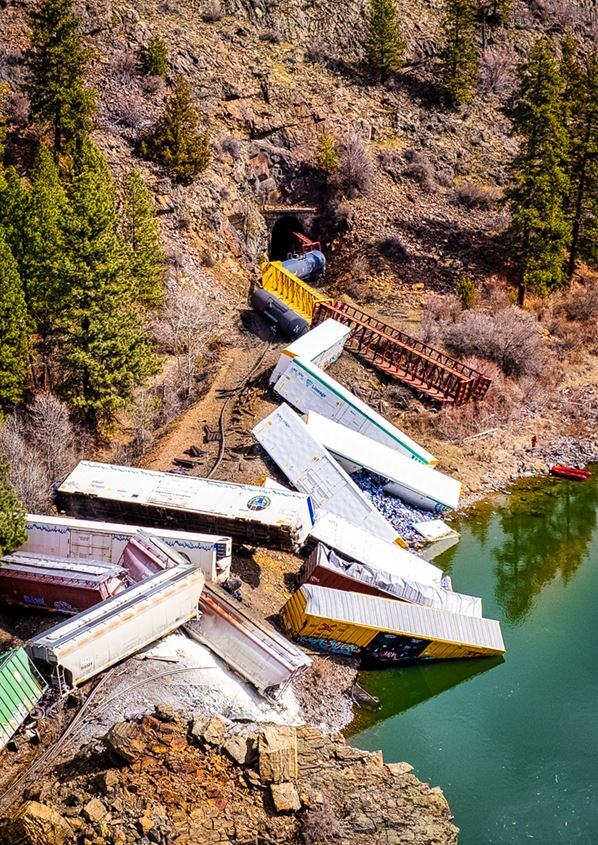
Recently a train derailed along the river just a few minutes from our home. While only minor injuries and minimal damage to the surrounding area occurred, it was costly, plus it will adversely impact railway logistics for some time to come. Additionally, one of the railcars dumped a few cases of beer into the river. So, there may be a few gleeful rafting parties along the Clark Fork this spring [...]
Bridging the Gap to an Enterprise Geotechnical Data Management Solution with EarthSoft and EQuIS Geotech
While hiking near Kootenai Falls in Montana, the path came to a perilous suspension bridge dangling high above the river. The passage held 220 feet of shaky wire and timber, though we knew it was the only means to reach the other side, our intended destination. Do we take the next step? How will we navigate this challenge safely? Would we trust this bridge to get us to our destination? Would it be worth the effort? [...]
bp Remediation Management
Pramod Neelappa is the bp Remediation Management (RM) Digital Transformation Manager and Cyber Ambassador. He has over 22 years’ experience implementing software solutions, has performed application delivery, and service management roles. For bp RM, he has been leading EQuIS implementation since 2014.